Showing posts with label G Suite. Show all posts

Friday, 15 November 2019

Think you know me? I've only recently got to know myself!

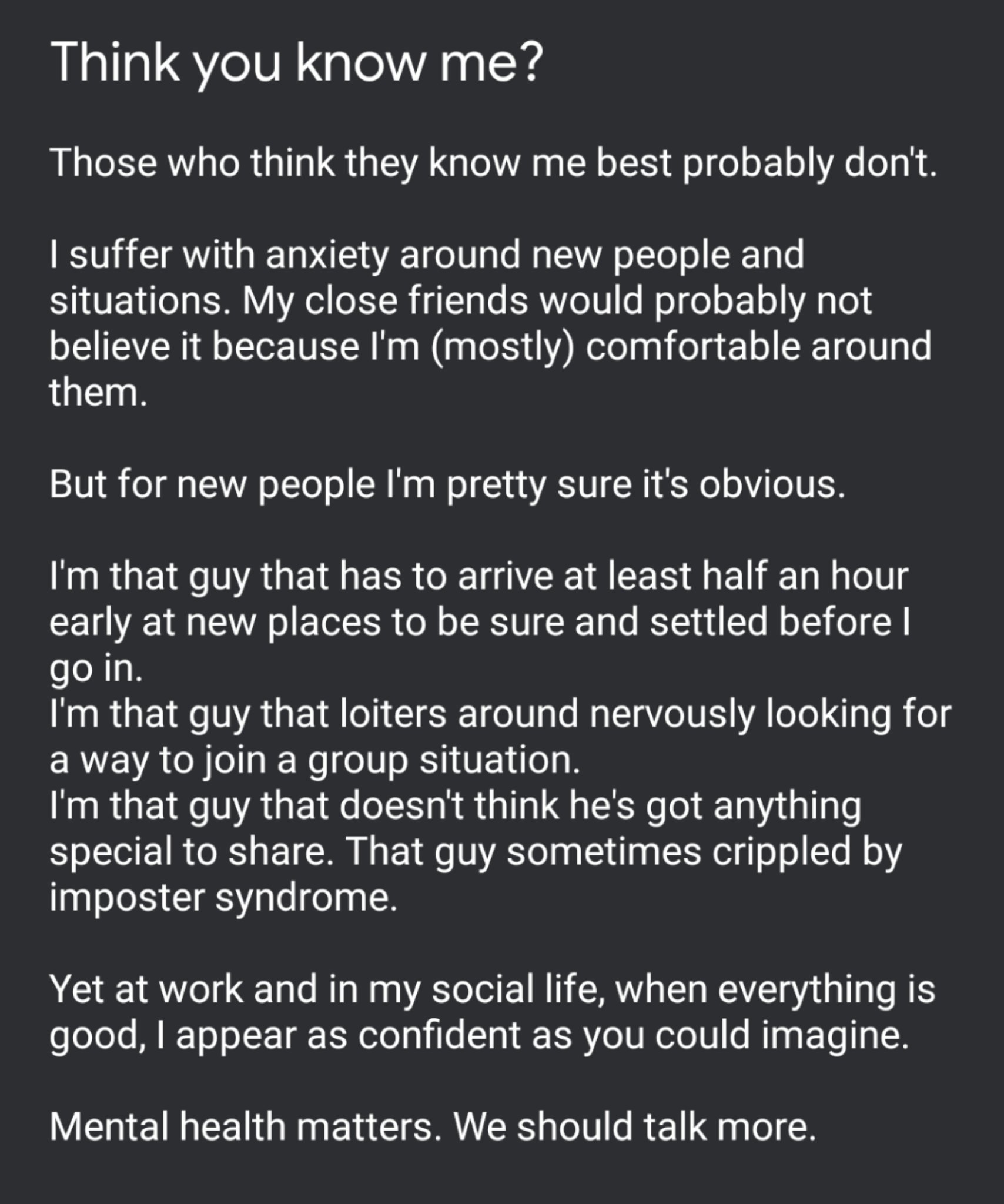
Image
tweeted Nov 11 @Rangathetrainer


Several days ago, possibly after following #SWE19 and the fun, games, innovations and emotions being shared by those taking part, I felt compelled to share the tweet on the right here.

I'm not normally one to share, I'm quite a closed book and have long upheld the typically british stiff upper lip approach to life: no matter how bad things are, turn up and soldier on with a smile. How often has that smile been painted on? I daren't even imagine!

It felt like a great relief to open up about my anxiety and I was touched by some very honest and appreciated conversations both in person and online with people I respect highly. 

I am that guy that get anxious about new situations. 
I take a while to warm up in new company.
I hover around nervously looking for a way in.
I am the guy that is constantly looking for reassurance. I want to feel like I belong.


It was this tweet from Miss C (@Tech_missc) that finally prompted me to open up: I need this space


As I wrote in my tweet, those closest to me probably don't see this side of me because with them, I am more at ease and usually sarcastic, quick-witted and sharp. But this is only because I feel I belong.

Throughout my professional life I have always strived to help others. I've never felt like I am brilliant or amazing, I just do what I think needs doing to the best of my ability. I find taking compliments very uncomfortable and tend to crack a joke to laugh it off or diminish my involvement to deflect the attention. 

It has only been in the last 2 years that I have begun to understand this. I made a bold decision 3 years ago and made a big career change. It was something I'd always felt I wanted to do. I was SO wrong! I quickly learnt that it wasn't what I wanted at all and I found my way back to a more suitable role as quickly as I could, as much for the benefit of others and for my own sanity and health. I was in the wrong position for me. It wasn't right or fair on me or others.

Walking away felt like a failure and it still haunts me from time to time, even though I try to remind myself that it was an equally bold decision to do so. I took a risk, it didn't work so I made changes and as a result, I've learnt a lot.

_________________________________________________________________________________

Part of my 'recovery' from this failure was down to a guy who I owe a huge amount. His name? Dean Stokes. (@deanstokes). 
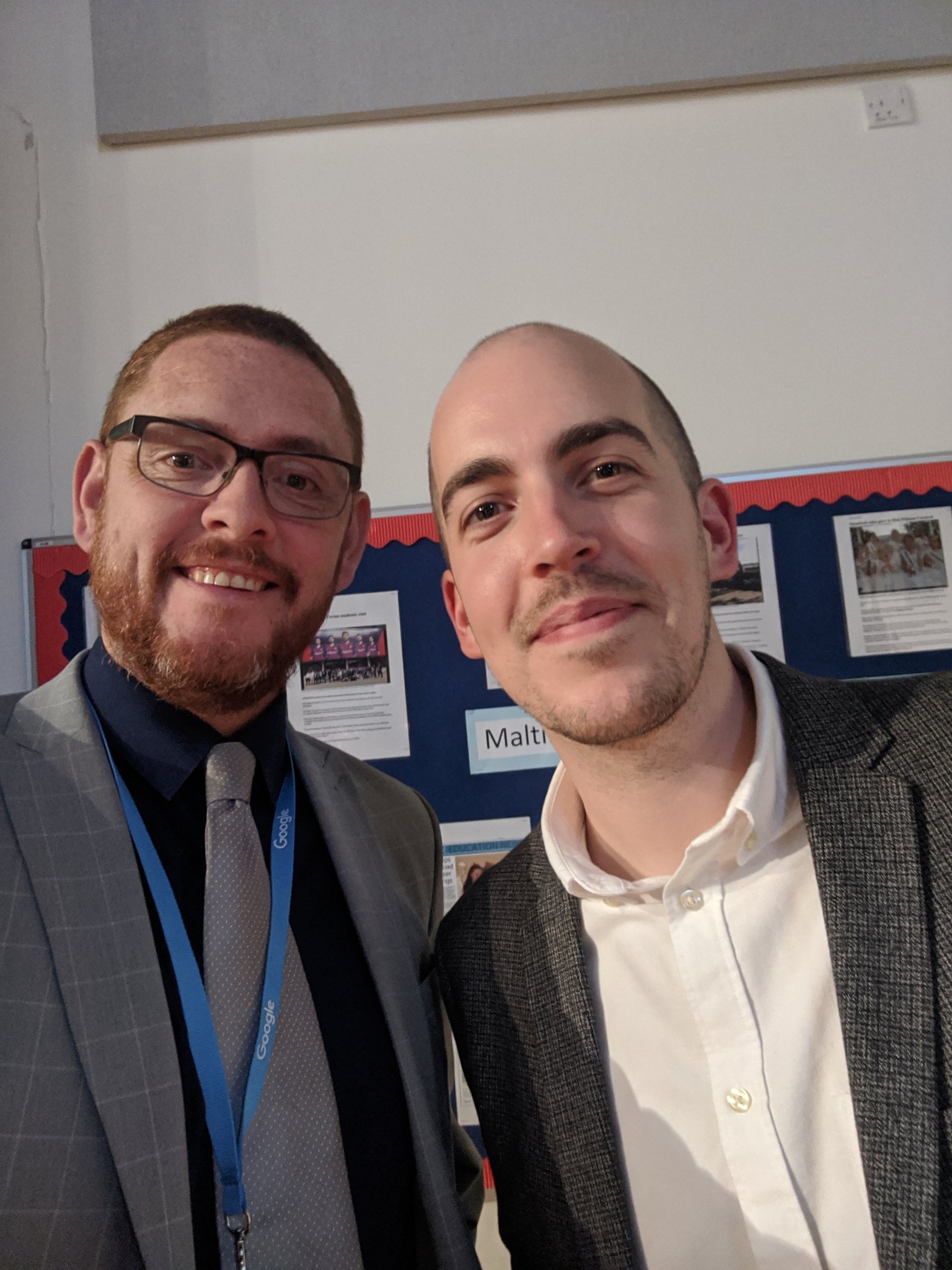
ImageI've known Dean for 20 years now, ever since he was a pupil in my very first Year 7 class in my NQT year. By his own admission, Dean was a shy young man in those days and somehow, he ended up growing in confidence and starring in school productions. He later returned to the school as a member of staff, a bit of a gamble of his own, and was instrumental in introducing G Suite to our school.

I had the honour of sharing an office with Dean for some time and learnt a huge amount about not just G Suite, but also, how to diversify and put yourself out there. When Dean moved on from school to full-time work, first with Appsevents, guess who took up the G Suite mantle.

I didn't feel ready. I didn't feel I had the knowledge base that Dean had. I felt I was dabbling and would quickly be found out. The one thing I was sure of though, I couldn't break it!

So fast forward to September 2018 and I got a call from Dean asking me to deliver a G Suite Support Staff Bootcamp for Appsevents in Aberdeen. I was hugely flattered but at the same time wondering, how desperate are you, Dean? You're asking me! 

I felt out of my depth and worried/anxious that I wouldn't be up to it. Getting a plane to Scotland was my first ever internal flight. I didn't even know what I needed but knowing Dean would be there to meet me at the airport got me through. At the hotel we met up with Ben Rouse (@Mr_BRouse) and talked about the plans for the next day. Then it was early to bed ahead of a busy day. I didn't really sleep. I kept tweaking my slides and pacing. Restless legs kept me awake.

The next morning we found our way to the venue and I had a great time with the staff there, who were welcoming and very receptive. I really enjoyed it but I still had doubts: Was it ok? Did they get what they needed from it? Did I miss anything? All these questions flying around my head.

Not long after Ben asked me to lead a similar bootcamp in Vienna. That was huge for me. And, as you might predict, I got to the school early, too early, no-one was there so I walked around Vienna for over an hour making sure I didn't stray too far and would be there on the dot to meet my contact. This was another great day and finished off with one of the delegates Jeremy, taking me to the Christmas Markets for some Gluhwein. A lovely way to end the day.

But all through this and still to this day, I don't feel like an expert, even though colleagues try to tell me I am. I just don't see what I do as anything special, because it's just what I've learnt to do.

So how does this all link?

Last night our school held our annual Key Stage 4 Awards Evening and I had invited Dean to be our guest speaker. We had several long chats beforehand and I was amazed to find he often feels like I do.
We talked about the message he could share and how that would be relevant to the students. He couldn't see it. That got us talking about Imposter Syndrome (which ended up a key part of Dean's message on the night). 

Needless to say, Dean smashed his speech. Everyone loved it. My technical side went well and the evening was a great success. A superb final school memory for our students and a great message for the future.


  • You’re more likely to regret the things you didn’t do rather than the things you did.
  • Take risks, make mistakes and learn from everything you do.
and remember
  • If you're feeling like a fraud, that's probably because you are really challenging yourself.
So to everyone reading this, thank you. Thank you for reading, thank you for reaching out, thank you for sharing - not just with me but with fellow professionals, friends and family.

And above all, thanks to you Dean. I would not be doing what I do now if it weren't for that quiet, shy guy who sat in French and allowed me to call him "Wally". 

The best kind of friendship is one where both of you grow as a result of the other.

Friday, 2 August 2019

G Gems 33: Away from the day job - how G Suite helped transform a community project

Away from the day job: A story about how G Suite helped transform a community project.


Aside from being a teacher for 20 years, some of you may be aware that I'm a keen sportsman too. I've played football and cricket for many years and took up field hockey around 6 years ago, having never played before.  It's a great game and I was quick to immerse myself in the clubhouse culture just as much as on the pitch. With myself, my wife and my daughter all playing - it's like a home away from home at times and we've made great friends.

It was at the end of my first season at Witham Hockey Club that I was told about our annual Witham Beer Festival. As people explained about the event and how it was started to help raise money to maintain our clubhouse building I was impressed and excited.   I love a good ale and I was really looking forward to coming along.

That was year 3 of the festival and our volunteer organisers from the hockey club and Witham Cricket Club had done a great job of sourcing tents and marquees, a range of around 30 beers and a few wines local to East Anglia.  While some volunteers served the beer. others ran the BBQ and more played in cricket matches to entertain the visitors.  
It was really good fun, we have around 500 visitors and raised some much needed funds so I decided to get more involved in Year 4.

Year 4 I went along to my first beer festival committee meeting and it was packed.  There was a terrific range of experience and ideas but it was hard to keep everyone informed of what we were trying to achieve and where everyone was at. It was after this meeting that I spoke to our chairman and mentioned Google Drive. We'd been using it a school for around a year really effectively, thanks largely to the drive of our then Learning Technologies Manager, Dean Stokes (you might have heard of him). 

The chairman Lee and I spoke and I showed him G Suite's capabilities and a plan was formed to "Go Google".  With an 'experienced' committee we knew there would be some resistance/ scepticism but we also knew it would take the beer festival forward.

We designed a created a 'matrix' of job roles and tasks on google sheets to project manage the whole things, set up a messaging protocol so that we didn't need to rely on long-winded meetings every month and gave everyone the trust and time to get on with their jobs.

We began using google slides and drawings to create advertising posts for social media, we used sites to redevelop the website and docs to create our programme. We kept all our documentation in Drive, with access to those who needed it and did away with reams of paper. We also used forms for volunteer sign up and feedback on the festival.

Overall, the first year was challenging but the committee embraced the new methods (with a bit of training and support from yours truly) and we are now heading towards our 9th festival from 22-22 August 2019.

Things grew rapidly, even the marquee! (2013 -2017)

The festival has grown massively in popularity and size since those days and it would not have been possible without using G Suite and the support of our partners, especially Paul from Harwich Town Brewing Company. We now welcome over 2000 visitors to the event, have a range over over 100 beers, ciders and wines, have live cricket and music as well as professional caterers. This year, using Glide and google sheets, we'll also have our own App 

It has become one of the most popular community events in town, supported greatly by sponsorship of barrels by local businesses and people.

If you're in Essex over August Bank Holiday, why not pop in for a pint?


Tuesday, 24 July 2018

G Gems 26: Back in the habit

Back in the habit (finally!)

Greetings all,

After a lengthy absence I'm back in the game at last. Since February I've been chocker block dealing with GCSE options, an Ofsted inspection, GDPR, curriculum, timetables and in my spare time I've completed my Google Certified Trainer programme. All this has taken me away from blogging for obvious of reasons.

The CET came as a result of a year of training (having completed my Level 1 and Level 2 Educator exams in October 2017) and supporting others both in my school and in other schools that we have contacts with. I could not have been more exited to be approved and got straight on to setting up my training domain. It was there the excitement was cut short! Let's just say that setting up your domain and getting verified isn't the easiest process. Somehow, I managed to lock myself out of my previous gmail account which allowed my access to blogger, my website and all my files. If I tried to access my new domain it just kept saying it has sent a verification email to the address that I didn't yet have access to. Let's just say there were toys everywhere and an empty pram!

But thanks the the CET group and some Youtube videos from @LouisShanafelt I am finally able to get started and I've got my access back. It all came down to a bit of editing of the CNAME host code that is not mentioned in the instructions. Thanks Louis!!.

So now I'm back and my domain is live and I'm spending the first few days of my summer holidays working on a couple of projects:

Teaching & Learning Dashboards

Example Dashboard using dummy data
Using google forms for lesson observations is a really easy way to a) collate information in one place b) secure that information under GDPR and c) evaluate all the information you've gathered. So at my schools I've been updating the T&L Dashboards to show triangulation. Let's be clear, I didn't create the original, I've been updating the existing due to changes to our processes but it's been good fun and it's great to see what you can do.  Essentially, we use Explore in google sheets to create charts from the data collected during observations including how well staff are meeting the Teacher Standards, book looks, student voice, assessment, behaviour for learning, planning and more. All this pulls into sheets and then we use formulas to create a 1 page A3 visual summary.

Initially this would have taken hours to set up but with Explore it's now much easier and you don't have to be a formula expert to pull it off.


Staff Training: Escape Rooms
I've now been asked to run some staff training in September for our Learning Support Assistants to show them how they can use G Suite to engage disaffected learners. I've only got an hour and I hate CPD when you are talked at so I've decided to make it as practical as possible. I'm designing a 30 minute online Escape Room using Google Forms and Drawings. If you've never tried this it's easy to set up: Just create your google form and have separate sections for each question. Use response validation to ensure an exact answer and then "continue to next section" on completion of a question.  I plan to share the form with the team captain using Google Classroom's differentiation option while the rest of the group have access to the clues. They'll get the first clue on the stream and then when the captain submits a correct answer I will share the next clue with them. If they get stuck I'll post further clues on the classroom stream. They'll only have 30 minutes to solve the clues and escape, but all the clues are curriculum based so that they can see how G Suite could be used in different areas. Then I'll be taking them through how it was all set up.

Here's an example of a clue.  Can you work out the answer? 

I'm looking for a 4 figure numerical code.


Saturday, 16 December 2017

G Suite Gem 6


🎄🎄🎄🎄🎄Who's ready for a Christmas Party ?🎄🎄🎄🎄🎄

Let's start at the Office.

Be Awesome this Christmas and use Office Documents in Drive!

I work with a number of people who are very used to and comfortable with Microsoft Office and have a large number of historic files that they want to keep using without converting them to Google Docs, sheets or slides. This is often due to concerns that some formatting might be affected.

These guys were very grateful to hear about Awesome Drive from aodocs.com and have gone away to give it a try. Essentially, this clever extension allows you to create, edit and save Office files within Google Drive. Great hey? 

Here's a short video from EdTech Tutorials to show you how it works. Enjoy! 


Teach yourself about Script Editor

Prior to visiting the Appsevents Google Summit for Education in October, I had never written any sort of code or script. As I swapped workshop midway (which was encouraged) I was fortunate to find the excellent Oli Trussell just finishing up with instructions and letting everyone try appscripting for themselves. Massive Faux pas on my part! However, just a short conversation with Oli and a further look at the resources from the day in my own time got me interested. 
That was October.  

Fast forward to December and I've finally found some time to do some research and have successfully written a code to embed Twitter into one of my Google Sites (only to find the feature was added anyway 2 days later 🤣🤣🤣) and also learnt to code a pop up message to show on opening a document using HTML and Script Editor. Check out https://www.w3schools.com/ and click on the try it yourself to learn for yourself. 

Attaching emails in Gmail 

A friend of mine uses Gmail at work but has been frustrated an when he used Outlook he could always attach an email another email for referencing or providing context. He asked me to see if it could be done in Gmail and the answer is YES!. 

Follow the steps here to attach an email to another email message in Gmail or 

The great news for me is that it also work with Inbox for Gmail, which personally, I L💙VE. (Another thanks due to Oli T for introducing me to this extension - I've never had such an organised and empty inbox!) 

Tuesday, 28 November 2017

G Suite Gems 2


Frustrated by the inability to insert audio in Google Slides? Not any more!

audioforslides   

Yes, the wonderful team at @EdTechteam have released this great and much welcome tool to allow you to insert audio files into Slides direct from your Drive.

Watch their demo here 👍 . 

Google Classroom  


I've long wanted to be able to see all of a student's work in one place in classroom
AND NOW I CAN!  Thank you ditchthattextbook.com for bringing this to my attention ⬇⬇⬇

  • In the Students tab, click a student’s name to see all of his/her assignments,questions and quizzes — as well as status of work, grades, attached files and an icon for private comments. 
  • Click here for full instructions
QUIZIZZ 

quizizz.com is very similar to the popular kahoot game but progress can be time limited and is not dependent on other students. Sign up for free and link your quizzes or any from the library direct to your Google Classrooms. 

G Suite Gems 3


Using G Suite to celebrate hard work and reduce workload.
   
Use Google Forms with Autocrat to create a feedback loop in your setting. 

A while ago now, I was searching for a way to recognise all the hard work and effort of colleagues that can sometimes, and unintentionally, go unrewarded. I approached my Head with a proposal for what we call a "Pat on the back". 

The loop is simple; colleagues have access to the google form via our website (staff only area using page level permissions in old sites) and if they feel a colleague deserves some recognition for anything, they can submit a form with their reason. 

On submission the Autocrat add-on generates a PDF (from a google docs template) which is emailed directly to the Head and her PA. A short 5 minute meeting is then set up where the member of staff is invited to meet with the Head and the citation/reason is shared with them and the Head thanks them for making a difference to a colleagues working life.  The PDF is then also kept on the person's file.

This has proved a very popular feedback loop and our Head really enjoys both receiving the citations and also meeting with the staff to congratulate them. Many are often unaware that they have been given a "pat on the back". 

It's really simple, takes very little time but sometimes a little goes a long way, especially when everyone is working their socks off. 

Why not give it a try and give your colleagues a virtual 'pat on the back" and see what effect it has on them?

Another way that we've used add-ons in our organisation has massively reduced the admin workload. I work across 2 secondary academies and previously our parental consultation and pupil target setting process was very heavily paper-based, often requiring folders to be prepared weeks in advance with hard copies of various data, forms to be completed and records to be kept.


By using a google sheet containing all pupils, we've been able to completely remove the need for paper copies as all notes are now made in the sheet itself (using filter views to avoid any filtering or sorting issues). Staff record the notes from the pupil meetings including attendance, SEND matters, parental concerns and 3 SMART targets. A parent email address is also collected and FormMule then sends parents a copy of the meeting notes which can be referred to at any time.    


At the next meeting later in the year, previous targets are reviewed and RAG rated and new discussions held and documented for the cycle to start again. Our admin team estimate that this change has saved them weeks of work!  


Wednesday, 15 November 2017

G Suite Gems 1


My first blogpost in years, my previous ones were all about cycling.

It's been a busy week for me, both in and beyond the classroom but I've taken great pleasure from being able to share my experience with G Suite and Social Media with colleagues from other schools as well as a local Chamber of Commerce who wanted an deeper insight into what G Suite has to offer.

Having conducted 2 face to face meetings, one video call and a 3 hour training session I can't believe it's only Wednesday night. (Almost time for The Apprentice)

I've been exploring further options this week, trying to find apps, extensions and options that will save colleagues time and effort, maybe even money! Below are some of the things I've shared with others who didn't know about them. That's the point isn't it, if you don't know, you don't know you don't know!

1. Sparkline in Sheets 

What a great little formula for showing a trend line graph! One colleague nearly fell off her chair when she saw this and how easy it was to create - just click in a cell, enter =sparkline and then choose the range. It's as easy as that and boom, you get a mini graph for each row of data. Copy down for individual graphs for a whole group.

2. Quill.org

Another free tool that could be especially useful for English teachers and especially those working with young people who need help with sentence structure etc. There's a free trial activity on the homepage and the subsequent analytics are very easy to work with. Why not give it a try?

3.  the new INSERT IMAGE option

I'm loving the drop down in Slides which has made things so much quicker. Simply choose now between upload from my computer, search the web, Drive, Google photos etc and drop the pictures straight in to your document. Great!